 Sleeve Studio
Step 2 of 3
Print the mandrel
Your Sleeve Studio download is one zip file. Inside it is everything a printer needs.
What is in the zip
- Your mandrel as an STL file: the file a printer or print service takes.
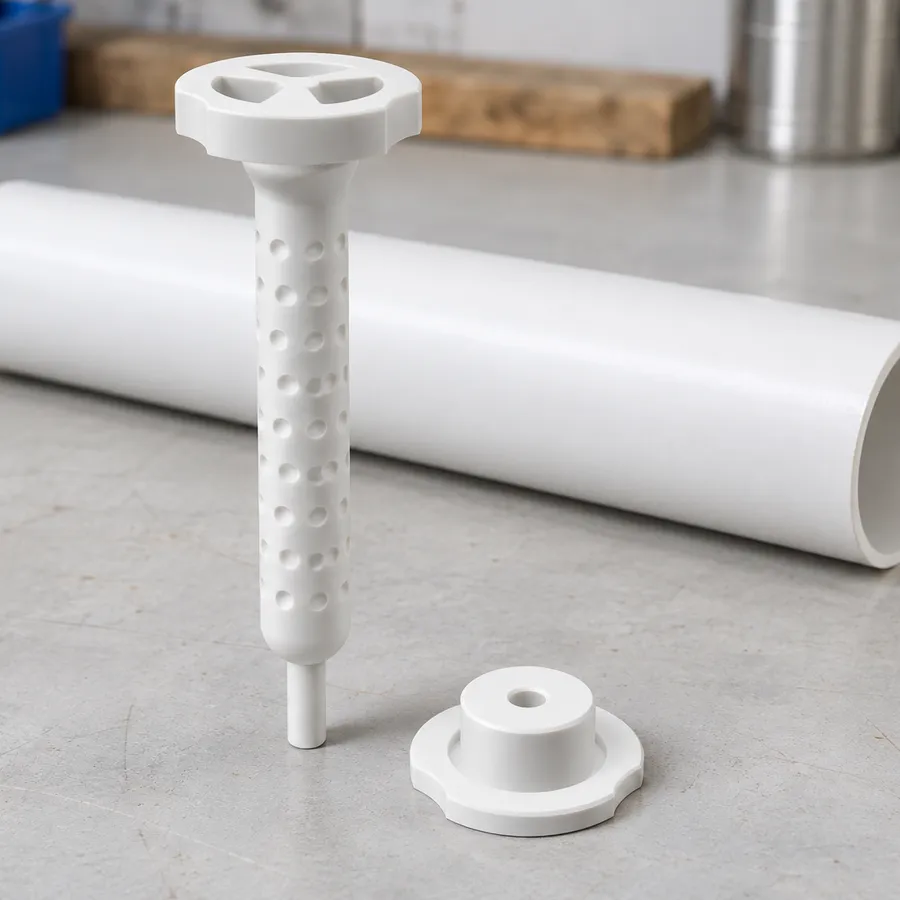
- The plug as an STL file: it closes the bottom of the pipe and holds the mandrel straight. Print it with the mandrel.
- Your design file (settings and an order card) so the same mandrel can be made again.
- This quick guide as a PDF.
Print it in resin
- Use an SLA resin printer or service. The surface is smooth and every detail comes out.
- Do not use a PLA or other filament (FDM) printer: the layer lines end up inside your sleeve.
- Print hat-down, supports off. The shape is made so no face is steeper than 45 degrees.
- Keep the printed mandrel away from heat and sunlight: the resin softens above 59 C (138 F). No dishwasher, no hot water.
With a print service
- Upload the mandrel STL and the plug STL to any online 3D printing service.
- Pick SLA resin, a standard white resin, with a sanded finish.
- Order 1 of each.
On your own resin printer
- Open the mandrel STL in your printer's slicer. It stands about 204 mm (8 in) tall with the hat flat on the plate.
- If your printer is shorter than that, use a print service.
- Wash and fully cure the print. Silicone does not cure against under-cured resin.